Connect your Shopify catalog to OpenAI Ads.
BridgeSFTP turns every eligible Shopify product into the SFTP feed OpenAI Ads Manager expects, then refreshes the complete feed every day.
Private pilot. We will send the Shopify install link. No feed file is uploaded during the free Catalog Audit.
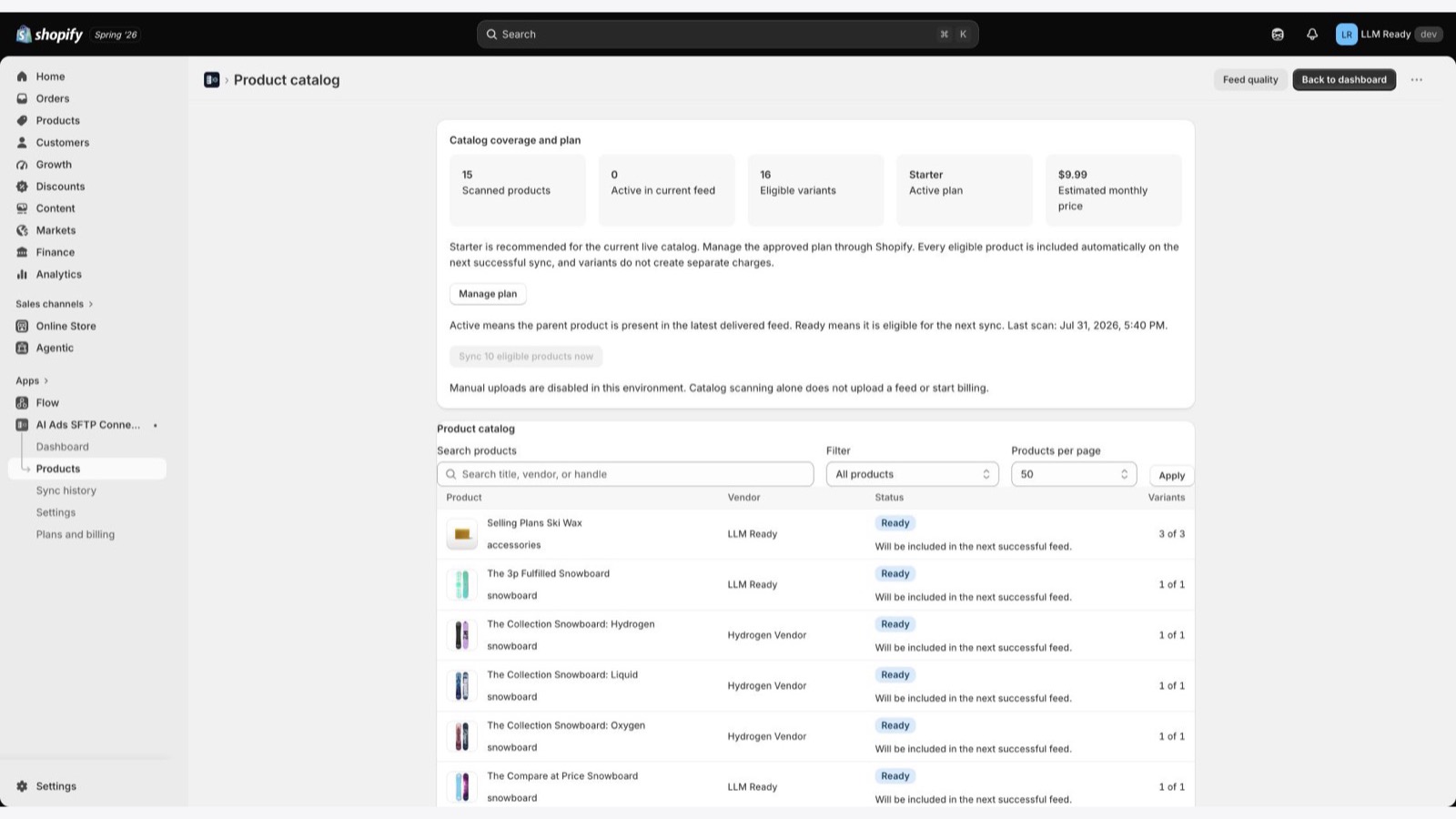
Shopify has the catalog. OpenAI Ads needs the feed.
Ads Manager gives you an SFTP destination.
Shopify gives you a living product catalog.
BridgeSFTP keeps the two connected.
No hand-built exports. No partial product sample. No confusion between file delivery and feed processing.
One connection, guarded every day.
BridgeSFTP handles the complete path from Shopify catalog to OpenAI Ads product feed.
Scan Shopify
Read every active parent product through Shopify bulk operations.
Build the OpenAI Ads feed
Validate required product data and include every coverable parent with its eligible variants.
Connect by SFTP
Use the credentials created in Ads Manager, test the destination without uploading, then deliver one complete compressed snapshot.
Keep it current
Refresh daily and surface stale delivery, connection failure, retry, or large catalog-change alerts through Feed Guardian.
Callout: BridgeSFTP solves the product feed connection. It does not create campaigns, set budgets, activate ad spend, or claim downstream acceptance.
Everything required to connect Shopify to OpenAI Ads.
Send the whole eligible catalog, not a hand-picked sample.
BridgeSFTP scans every active Shopify parent product, includes every coverable product automatically, and keeps eligible variants attached for the OpenAI Ads feed.
Every active parent product scanned
Every coverable parent product included
Every eligible variant kept with its parent
Every delivery rebuilt as a complete snapshot
Pricing follows your Shopify catalog.
Paid plans count live parent products. Eligible variants, automatic daily refreshes, and repeated manual snapshots cost nothing extra. Paid plans include a seven-day full-access trial. Shopify's approval screen is the final source of truth for the charge.
Test the OpenAI Ads destination before you send a file.
Create the product feed in Ads Manager first. BridgeSFTP uses those SFTP credentials to connect Shopify and begin delivery when you approve it.
Before you connect Shopify to OpenAI Ads.
Does BridgeSFTP create the product feed in Ads Manager?
No. Create the feed and SFTP destination in Ads Manager, then enter those credentials in BridgeSFTP.
Does BridgeSFTP scan the whole catalog?
Yes. It examines every active parent product, not a small sample.
What is the Feed Guardian?
It is BridgeSFTP's operating loop for full-catalog discovery, product-level validation, safe SFTP delivery, retries, retained versions, and in-app operational alerts.
Does Catalog Audit upload anything?
No. It scans and validates without delivering a production file.
Are variants billed separately?
No. Eligible variants stay with the parent product.
Does the connection test replace the feed?
No. It signs in and lists the destination directory without uploading or replacing a file.
What does Uploaded to SFTP mean?
The remote file exists and its byte size matches the local snapshot. Confirm processing, counts, and errors separately in Ads Manager.
How often does BridgeSFTP refresh the feed?
Configured feeds receive a complete daily snapshot. Manual sync is available when no scan, upload, redelivery, or scheduled retry is active.
Is BridgeSFTP affiliated with OpenAI?
No. It is independent product feed software and is not affiliated with or endorsed by OpenAI.
Connect Shopify to OpenAI Ads.
Audit every product, test the SFTP destination, and keep one complete feed current every day.
Independent product feed software. Not affiliated with or endorsed by OpenAI.
© 2026 BridgeSFTP